Chirpy 가이드 를 참고하여 대응하는 markdown 코드를 아래에 추가함 (cheatsheet 처럼 활용하기 위함)
Headings H1 — heading 1
2
# H1 — heading
{: .mt-4 .mb-0 }
H2 — heading 1
2
## H2 — heading
{: data-toc-skip='' .mt-4 .mb-0 }
H3 — heading 1
2
### H3 — heading
{: data-toc-skip='' .mt-4 .mb-0 }
H4 — heading 1
2
#### H4 — heading
{: data-toc-skip='' .mt-4 }
Lists Ordered list Firstly Secondly Thirdly 1
2
3
1. Firstly
2. Secondly
3. Thirdly
Unordered list 1
2
3
- Chapter
- Section
- Paragraph
Description list Sun the star around which the earth orbits Moon the natural satellite of the earth, visible by reflected light from the sun 1
2
3
4
5
Sun
: the star around which the earth orbits
Moon
: the natural satellite of the earth, visible by reflected light from the sun
Block Quote This line shows the block quote .
1
> This line shows the _block quote_.
Prompts An example showing the tip type prompt.
1
2
> An example showing the `tip` type prompt.
{: .prompt-tip }
An example showing the info type prompt.
1
2
> An example showing the `info` type prompt.
{: .prompt-info }
An example showing the warning type prompt.
1
2
> An example showing the `warning` type prompt.
{: .prompt-warning }
An example showing the danger type prompt.
1
2
> An example showing the `danger` type prompt.
{: .prompt-danger }
Tables Company Contact Country Alfreds Futterkiste Maria Anders Germany Island Trading Helen Bennett UK Magazzini Alimentari Riuniti Giovanni Rovelli Italy
1
2
3
4
5
| Company                      | Contact          | Country |
| :--------------------------- | :--------------- | ------: |
| Alfreds Futterkiste          | Maria Anders     | Germany |
| Island Trading               | Helen Bennett    |      UK |
| Magazzini Alimentari Riuniti | Giovanni Rovelli |   Italy |
Links http://127.0.0.1:4000
1
<http://127.0.0.1:4000>
Click the hook will locate the footnote, and here is another footnote
1
Click the hook will locate the footnote[^footnote], and here is another footnote[^fn-nth-2].
Inline code This is an example of Inline Code.
1
This is an example of `Inline Code` .
Filepath Here is the /path/to/the/file.extend.
1
Here is the `/path/to/the/file.extend` {: .filepath}.
Code blocks Common 1
This is a common code snippet, without syntax highlight and line number.
Specific Language 1
2
3
4
if [ $? -ne 0 ] ; then
echo "The command was not successful." ;
#do the needful / exit
fi ;
Specific filename 1
2
3
@import
"colors/light-typography" ,
"colors/dark-typography" ;
Mathematics The mathematics powered by MathJax
\[\begin{equation} \sum_{n=1}^\infty 1/n^2 = \frac{\pi^2}{6} \label{eq:series} \end{equation}\]
1
2
3
4
5
6
$$
\b egin{equation}
\s um_{n=1}^\i nfty 1/n^2 = \f rac{\p i^2}{6}
\l abel{eq:series}
\e nd{equation}
$$
We can reference the equation as \eqref{eq:series}.
1
We can reference the equation as \e qref{eq:series}.
When $a \ne 0$, there are two solutions to $ax^2 + bx + c = 0$ and they are
1
When $a \n e 0$, there are two solutions to $ax^2 + bx + c = 0$ and they are
\[x = {-b \pm \sqrt{b^2-4ac} \over 2a}\]
1
$$ x = {-b \p m \s qrt{b^2-4ac} \o ver 2a} $$
Mermaid SVG gantt
title Adding GANTT diagram functionality to mermaid
apple :a, 2017-07-20, 1w
banana :crit, b, 2017-07-23, 1d
cherry :active, c, after b a, 1d
아래 문구에 대하여 코드 블록을 사용한 다음, 언어를 mermaid로 설정 (markdown → mermaid)
1
2
3
4
5
 gantt
  title  Adding GANTT diagram functionality to mermaid
  apple :a, 2017-07-20, 1w
  banana :crit, b, 2017-07-23, 1d
  cherry :active, c, after b a, 1d
Images Default (with caption) Full screen width and center alignment
1
2
 {: width="972" height="589" }
_Full screen width and center alignment_
Left aligned
1
{: width="972" height="589" .w-75 .normal}
Float to left Praesent maximus aliquam sapien. Sed vel neque in dolor pulvinar auctor. Maecenas pharetra, sem sit amet interdum posuere, tellus lacus eleifend magna, ac lobortis felis ipsum id sapien. Proin ornare rutrum metus, ac convallis diam volutpat sit amet. Phasellus volutpat, elit sit amet tincidunt mollis, felis mi scelerisque mauris, ut facilisis leo magna accumsan sapien. In rutrum vehicula nisl eget tempor. Nullam maximus ullamcorper libero non maximus. Integer ultricies velit id convallis varius. Praesent eu nisl eu urna finibus ultrices id nec ex. Mauris ac mattis quam. Fusce aliquam est nec sapien bibendum, vitae malesuada ligula condimentum.
1
 {: width="972" height="589" .w-50 .left}
Float to right Praesent maximus aliquam sapien. Sed vel neque in dolor pulvinar auctor. Maecenas pharetra, sem sit amet interdum posuere, tellus lacus eleifend magna, ac lobortis felis ipsum id sapien. Proin ornare rutrum metus, ac convallis diam volutpat sit amet. Phasellus volutpat, elit sit amet tincidunt mollis, felis mi scelerisque mauris, ut facilisis leo magna accumsan sapien. In rutrum vehicula nisl eget tempor. Nullam maximus ullamcorper libero non maximus. Integer ultricies velit id convallis varius. Praesent eu nisl eu urna finibus ultrices id nec ex. Mauris ac mattis quam. Fusce aliquam est nec sapien bibendum, vitae malesuada ligula condimentum.
1
 {: width="972" height="589" .w-50 .right}
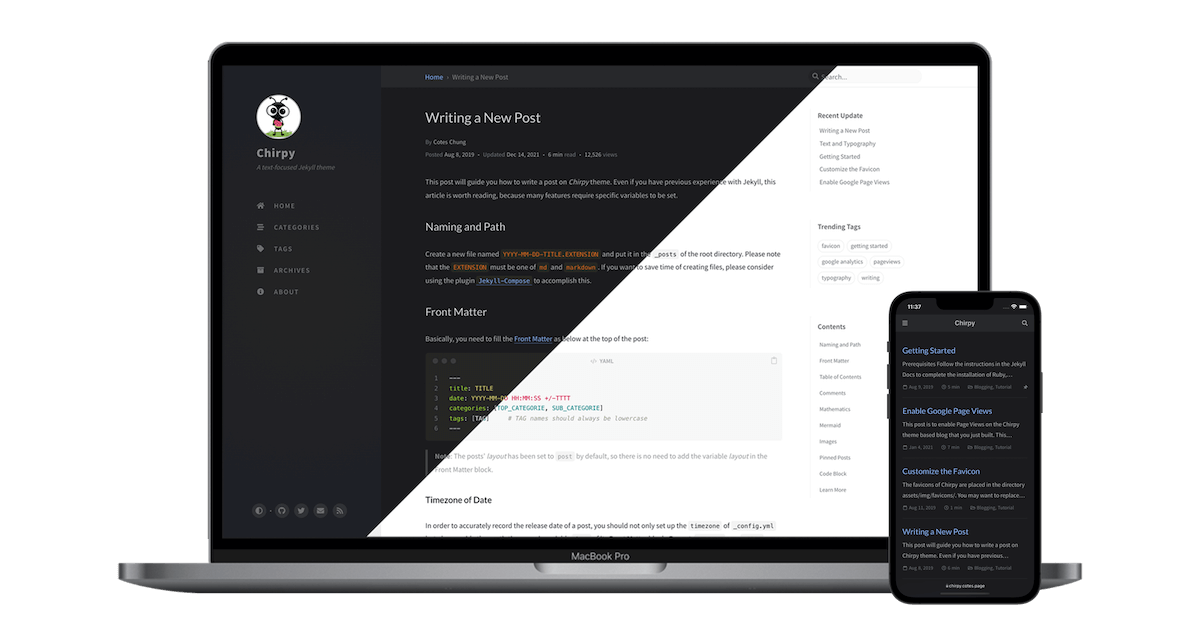
Dark/Light mode & Shadow 아래 이미지는 테마 기본 설정에 따라 어둡게/밝게 모드를 전환됨
그림자가 있음에 유의
1
2
 {: .light .w-75 .shadow .rounded-10 w='1212' h='668' }
 {: .dark .w-75 .shadow .rounded-10 w='1212' h='668' }
Video VIDEO 아래 내용은 실제 markdown 표현 형식과 다르기에 주의 필요 (압축 코드로 보임)
1
2
3
4
5
6
7
8
9
10
<iframe
  class="embed-video"
  loading="lazy"
  src="https://www.youtube.com/embed/Balreaj8Yqs"
  title="YouTube video player"
  frameborder="0"
  allow="accelerometer; autoplay; clipboard-write; encrypted-media; gyroscope; picture-in-picture"
  allowfullscreen
></iframe>
1
2
[ ^footnote ]: The footnote source
[ ^fn-nth-2 ]: The 2nd footnote source
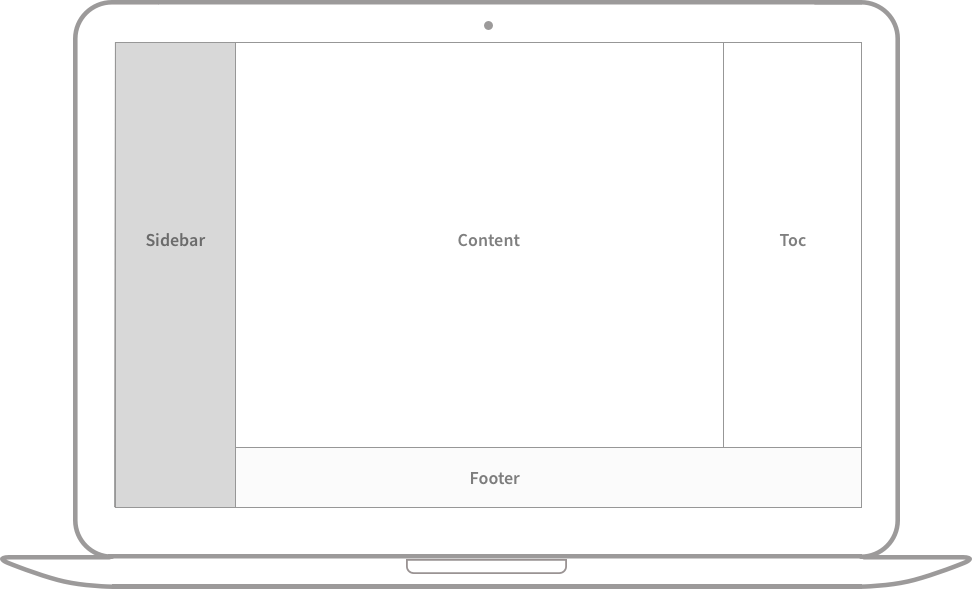 Full screen width and center alignment